---
title: Intro to Group Assessments
description: Learn about Cadmus Group Assessments, its features, and instructions for setting them up.
---
[Skip to content](https://support.cadmus.io/intro-to-group-assessments#main-content)
English
Show submenu for translations
[Contact Support](https://support.cadmus.io/kb-tickets/new?hsLang=en)
[![Cadmus Wordmark & Logo\_Master File\_Cadmus Icon\_Ink.png\]](https://support.cadmus.io/hs-fs/hubfs/Cadmus%20Wordmark%20%26%20Logo_Master%20File_Cadmus%20Icon_Ink.png?height=40&name=Cadmus%20Wordmark%20%26%20Logo_Master%20File_Cadmus%20Icon_Ink.png)](https://support.cadmus.io/?hsLang=en)
- [Cadmus](https://cadmus.io/)
- [Contact Support](https://support.cadmus.io/kb-tickets/new)
Open main navigation
Close main navigation
- [Cadmus](https://cadmus.io/)
- [Contact Support](https://support.cadmus.io/kb-tickets/new)
- English
Show submenu for translations
- [Contact Support](https://support.cadmus.io/kb-tickets/new)
What would you like to learn?
- There are no suggestions because the search field is empty.
1. [Cadmus Help Docs](https://support.cadmus.io/?hsLang=en)
2. [Teachers](https://support.cadmus.io/teachers?hsLang=en)
3. [Group Assessments](https://support.cadmus.io/teachers?hsLang=en#group-assessments)
# Intro to Group Assessments
## Learn about Cadmus Group Assessments, its features, and instructions for setting them up.
Group Assessment is a new type of assignment focusing on collaborative student projects that you can create in Cadmus. Unlike classic Cadmus, which primarily supports long-form text-based assessments, and Cadmus Multi-format Assessments, which support question-based assessments like quizzes, Group Assessment allows students to work together and submit assessments, and teachers to facilitate the end-to-end process.
Group Assessment offers tools that facilitate:
Group formation and role allocation
Expectation setting
Project management
Collaborative editing and writing
Sentiment Checks
Visibility into individual and group-level progress
Group Work
Individual Assessment
Peer Evaluation
Self Evaluation
Group Charter
**To set up a group assessment**
If your institution has enabled Group assessments, follow these instructions to set one up
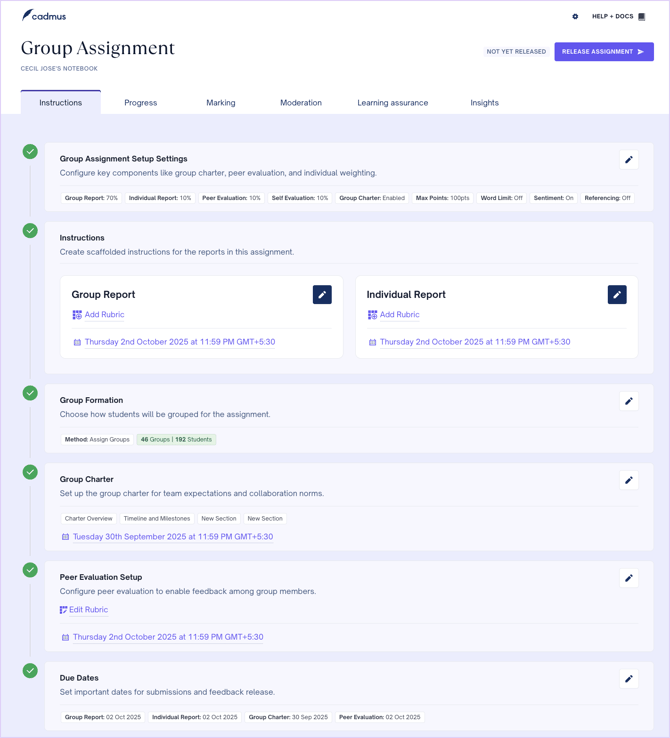
1. Launch Cadmus using the (external tool) link from within your LMS.
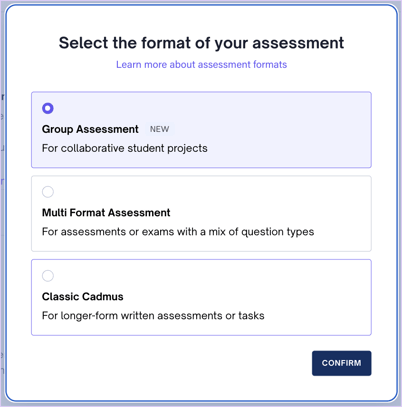
2. Select Group Assessment as the format of the assessment.
3. Set the requirements and settings. Configure critical assessment-related settings such as components, weightage, word limit, marking, drafting, referencing, and generative AI. You can also select whether you wish to show rubrics to students, add a group charter, and sentiment check. Drafting may be turned off for either or both of group and individual work.


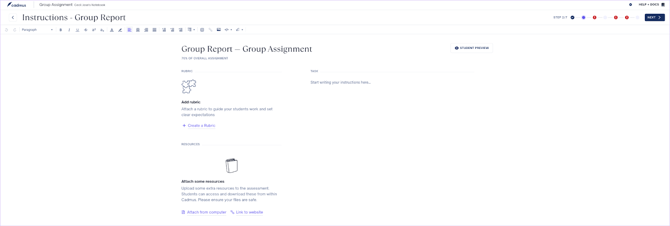
4. Add the instructions for the group and individual projects, if applicable. In this step, you can add a rubric by creating a new rubric in Cadmus, attaching a pre-existing rubric or attaching additional resources.
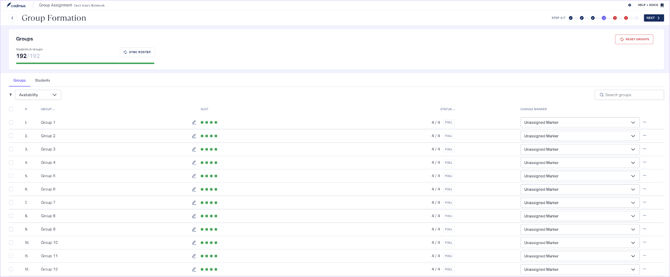
5. Create groups by dividing students equally at random or manually, via self-enrolment, or by importing groups from a file.
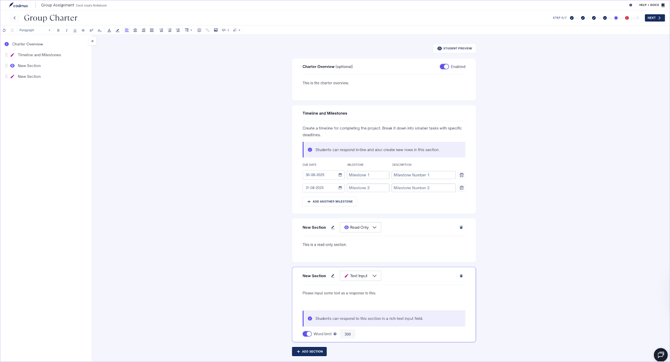
6. If the Group Charter is enabled, add the charter overview, timeline, and milestones, and read-only or text input sections.
7. If Peer evaluation is enabled, add instructions and a rubric for peer evaluation.
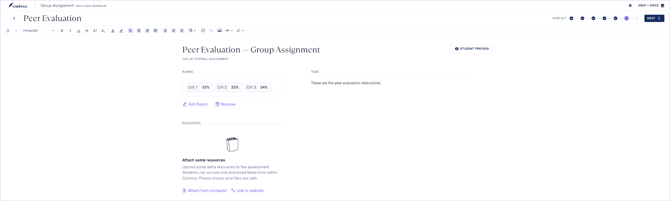
8. In the last step, add individual/group draft due dates and the final due dates for the group charter, group work, individual work, peer evaluation, and the feedback due date for the group assessment.

9. Click on **Release Instructions** in the *Instructions* tab to share the assessment instructions with your students.
- [Teachers](https://support.cadmus.io/teachers?hsLang=en#main-content)
- [Introduction](https://support.cadmus.io/teachers?hsLang=en#introduction)
- [Setting up assessments](https://support.cadmus.io/teachers?hsLang=en#setting-up-assessments)
- [Managing your class](https://support.cadmus.io/teachers?hsLang=en#managing-your-class)
- [Turnitin + Cadmus](https://support.cadmus.io/teachers?hsLang=en#turnitin-cadmus)
- [Marking + feedback](https://support.cadmus.io/teachers?hsLang=en#marking-feedback)
- [Exams](https://support.cadmus.io/teachers?hsLang=en#exams)
- [Drafts](https://support.cadmus.io/teachers?hsLang=en#drafts)
- [Insights](https://support.cadmus.io/teachers?hsLang=en#insights)
- [Students working](https://support.cadmus.io/teachers?hsLang=en#students-working)
- [FAQs + Troubleshooting](https://support.cadmus.io/teachers?hsLang=en#faqs-troubleshooting)
- [Multi-format Assessments](https://support.cadmus.io/teachers?hsLang=en#multi-format-assessments)
- [Group Assessments](https://support.cadmus.io/teachers?hsLang=en#group-assessments)
- [Oral Assessments](https://support.cadmus.io/teachers?hsLang=en#oral-assessments)
- [Students](https://support.cadmus.io/students?hsLang=en#main-content)
- [Introduction](https://support.cadmus.io/students?hsLang=en#introduction)
- [Working in Cadmus](https://support.cadmus.io/students?hsLang=en#working-in-cadmus)
- [Submitting](https://support.cadmus.io/students?hsLang=en#submitting)
- [Grades + Feedback](https://support.cadmus.io/students?hsLang=en#grades-feedback)
- [Drafts](https://support.cadmus.io/students?hsLang=en#drafts)
- [FAQs + Troubleshooting](https://support.cadmus.io/students?hsLang=en#faqs-troubleshooting)
- [Multi-format Assessment](https://support.cadmus.io/students?hsLang=en#multi-format-assessment)
- [Group Assessments](https://support.cadmus.io/students?hsLang=en#group-assessments)
- [Oral Assessments](https://support.cadmus.io/students?hsLang=en#oral-assessments)
- [Admins](https://support.cadmus.io/admins?hsLang=en#main-content)
- [Integrations](https://support.cadmus.io/admins?hsLang=en#integrations)
- [Release Notes](https://support.cadmus.io/release-notes?hsLang=en)
- [Privacy Policy](https://support.cadmus.io/privacy-policy?hsLang=en)
- [Cadmus](https://cadmus.io/)
- [Video Tutorials](https://cadmus.io/video-tutorials/)
- [Contact Support](https://support.cadmus.io/kb-tickets/new)
- [System Status](https://cadmus.statuspage.io/)
[](http://cadmus.io)
Copyright © 2026, Cadmus