![Cadmus Wordmark & Logo_Master File_Cadmus Icon_Ink.png]](https://support.cadmus.io/hs-fs/hubfs/Cadmus%20Wordmark%20%26%20Logo_Master%20File_Cadmus%20Icon_Ink.png?height=40&name=Cadmus%20Wordmark%20%26%20Logo_Master%20File_Cadmus%20Icon_Ink.png)
Before you begin
Before configuring the integration, ensure that you:
- Have administrator access to your institution's Schoolyear account.
- Can access the Admin Console in Schoolyear.
- Have an active Cadmus environment ready for integration.
The integration uses API credentials generated within the Schoolyear Admin Console. These credentials are provided to Cadmus to authenticate the connection between the two platforms.
In this article, we coverGenerate a Schoolyear API Key
Before Cadmus can connect to your Schoolyear environment, you'll need to generate a Custom API Key in the Schoolyear Admin Console.
Create a Custom API Key
- Sign in to the Schoolyear Dashboard (dashboard.exams.schoolyear.app)
- Open the Admin Console from the menu in the top-right corner.
- Select Add-ons.
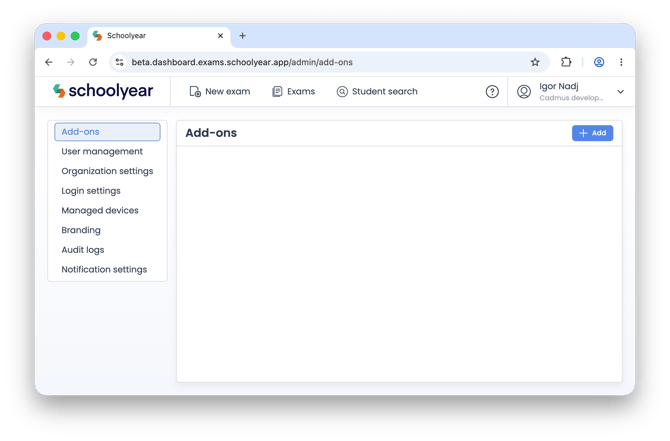
- Click + Add.
- In the Add-ons catalogue, scroll to Custom API Key.
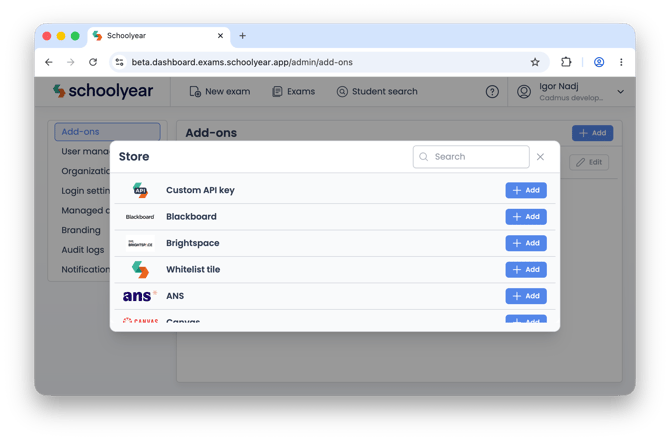
- Click + Add.
This opens the configuration page for a new Custom API Key.
Configure the API Key
- Enter a name for the API Key.
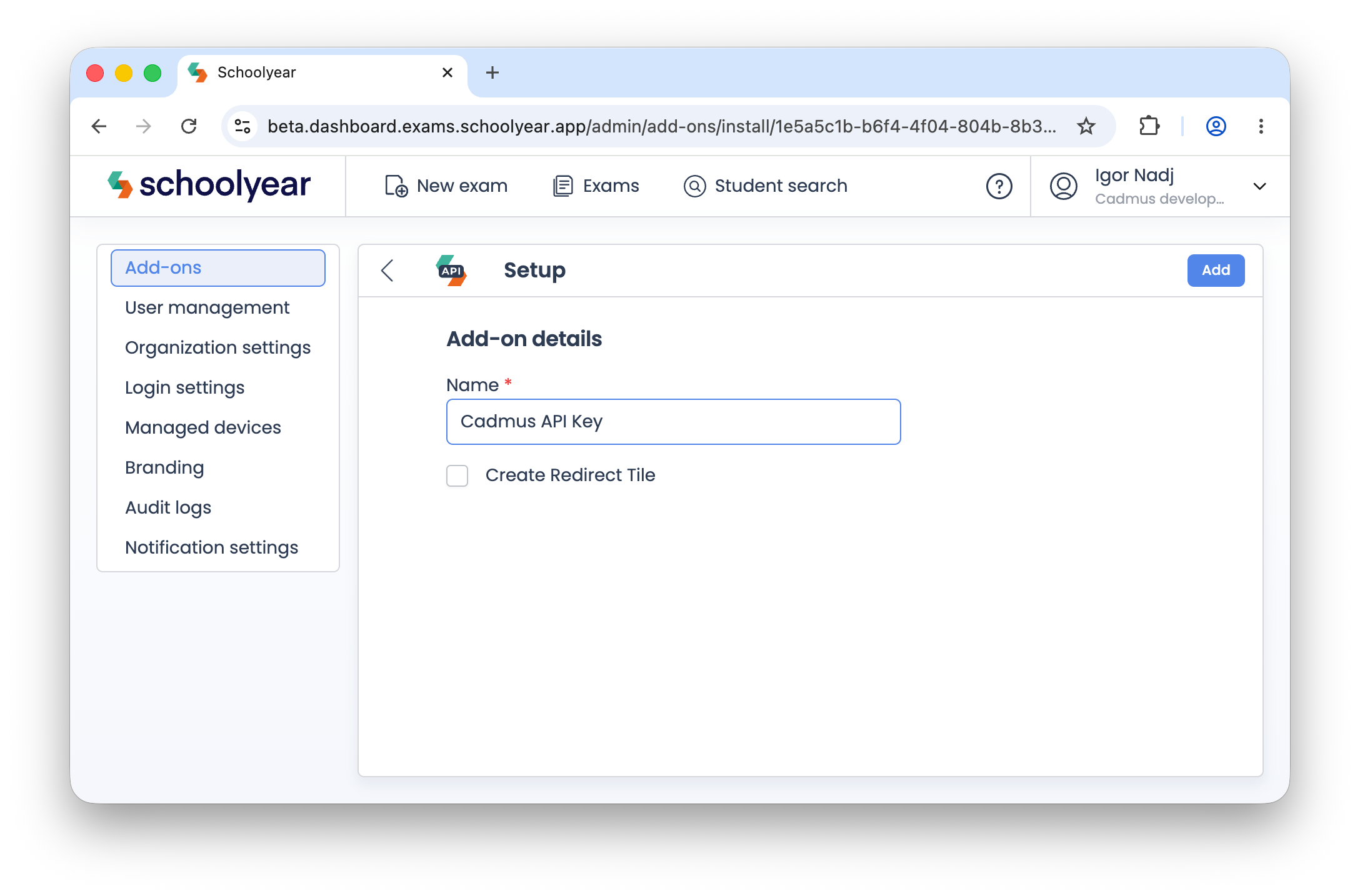
For example:
- Cadmus API Key
Using a descriptive name makes it easier to identify the integration if you manage multiple add-ons or integrations within Schoolyear.
- Click Add to generate the API Key.
Save your API credentials
Once the API Key has been created, Schoolyear displays the credentials required to complete the integration.
Record or copy the following values:
- Tenant ID
- API Key
- Secret
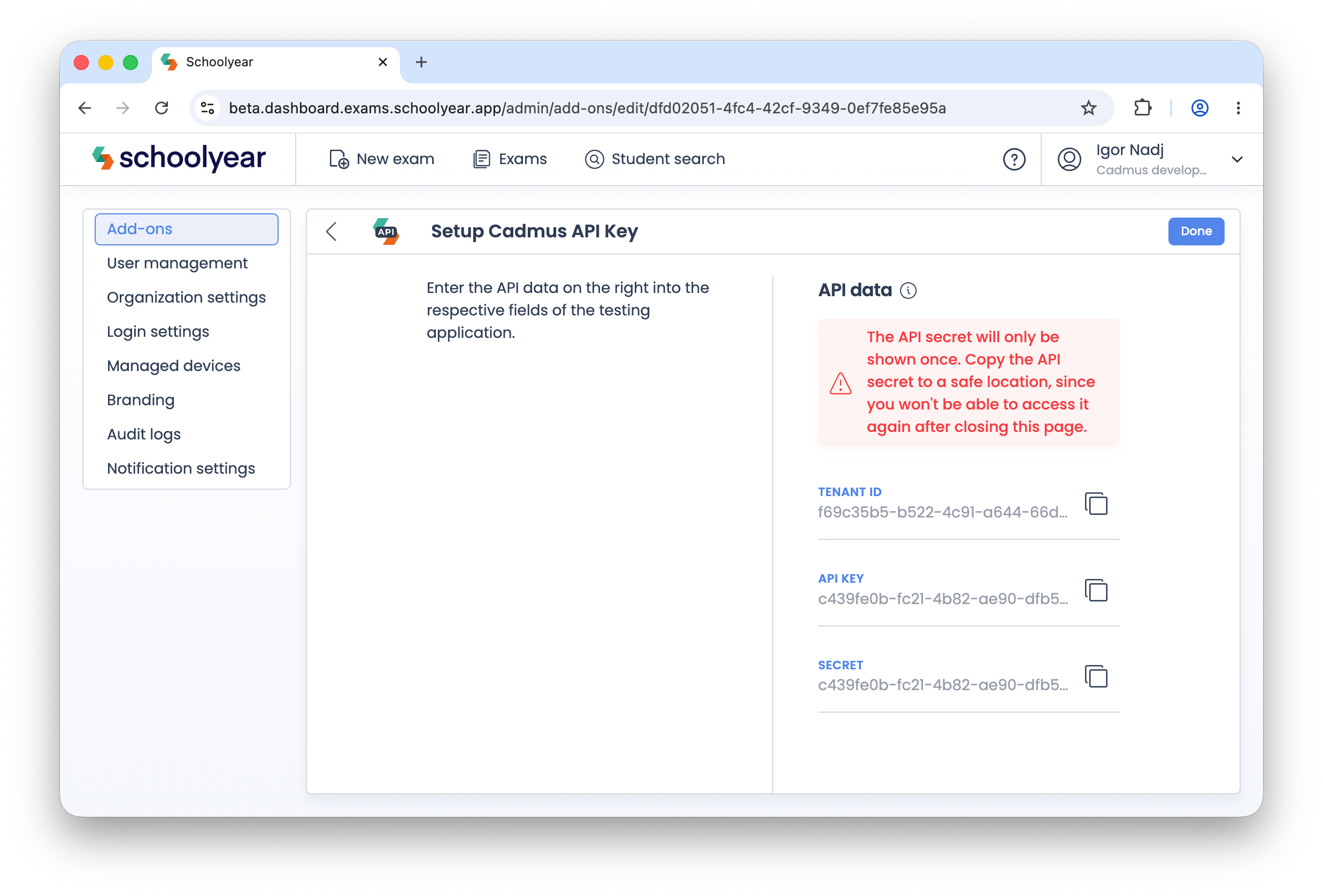
You'll need these credentials in the next stage of the integration.
Schoolyear also recommends storing these details somewhere secure for your own reference before selecting Done.
Share your API credentials with Cadmus
After generating your API credentials, provide them to the Cadmus team so the integration can be configured.
Share the following information:
Please email the following details to integrations@cadmus.io:
- Schoolyear Tenant ID
- Schoolyear API Key
- Schoolyear Secret
Cadmus uses these credentials to identify and authenticate your institution's Schoolyear integration.
Next steps
After the integration has been configured:
- Teachers can enable Schoolyear when creating supported Cadmus exams.
- Students can launch Schoolyear-enabled exams directly from Cadmus.
- Schoolyear will provide the secure workspace for assessments where it has been enabled.
If additional configuration is required during the integration process, the Cadmus team will contact your institution.
Troubleshooting
I can't access the Admin Console:
Only users with administrator permissions can access the Schoolyear Admin Console. If you can't access it, contact your institution's Schoolyear administrator.